Planeta 42 Fun IT Educational Games Planeta 42 | Free Online Learning Games for Kids and Students Planeta 42 Knowledge Levels and Ranks System
Cyber Shield: Threats vs Defences

Roll over or drag an icon to the matching covered slot to connect 6 digital threats with their modern cyber defences!

System Secured!

You matched every digital threat with its proper cyber defence.

+1 Level

Fantastic job exploring these fun educational games for students!

Back English Español Deutsch Français Български 日本語 中文 한국어 버전 Next

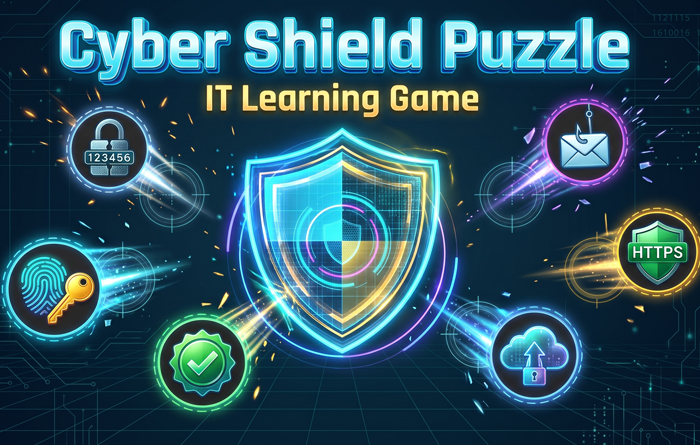
Cyber Shield Puzzle - Fun IT Learning Game

Cyber Shield Puzzle is a free online educational game created to teach essential digital safety habits in the modern connected world! Engage in interactive learning games by pairing 6 everyday online threats with their matching cybersecurity defences on the infographic board. This visual activity serves as an ideal resource for game-based learning in computer science classes. Solve this drag-and-drop challenge right in your web browser to earn a Knowledge Level! These cool educational games work brilliantly as teacher tools, lesson aids, and engaging fun homework for ICT lessons. Explore play-based learning activities online, strengthen student digital literacy, and enjoy fun educational games for students, browser-based educational games for kids, and free interactive games for primary school!

How to play the Cyber Shield Game

Inspect the 12 circular badges in the top tray—six represent digital threats and six represent protective cyber tools. Hover your cursor over a badge (or tap it on touch screens) to read its explanation in the top panel. Next, drag the icon and drop it onto the corresponding covered slot on the cybersecurity infographic below. Place the digital threat on the left and the matching cyber defence on the right inside each of the 6 sectors. Once dropped in the right spot, the cover vanishes to reveal the icon underneath! Secure all 12 slots to win the game and unlock your Knowledge Level!

Knowledge Achievements:
Successfully completing the cybersecurity board rewards you with +1 Knowledge Level.
Cyber Shield Puzzle - Interactive cybersecurity learning games for kids

Did You Know? Key Facts About Digital Safety

Important insights into how modern cybersecurity keeps users safe online:

Human Error vs Software Bugs

Over 80% of online security breaches start with stolen passwords or deceptive phishing messages rather than complex code exploits.

Why Passkeys Beat Passwords

Modern cryptographic passkeys use fingerprint or face verification on your device, meaning hackers cannot steal or guess them remotely.

The 3-2-1 Backup Rule

Keeping 3 copies of important schoolwork on 2 different storage types, with 1 copy offline or in secure cloud storage, defeats ransomware.

Class Subject: Cyber Threats vs Cyber Defences

Review the 6 core pillars of digital protection every student should recognise:

1. Passwords

Weak Password (reusing simple words like "123456") vs Passkey Vault (generating long unique keys unlocked safely via biometrics).

2. Accounts

Credential Theft (hackers logging in with leaked passwords) vs 2FA Security (requiring a second temporary code on your phone).

3. Messages

Phishing Scam (fake urgent emails tricking you into clicking traps) vs Link Scanner (verifying sender domains before opening links).

4. Media

AI Deepfake (synthetic voice or video clips impersonating real people) vs Content Verify (checking digital watermarks and trusted sources).

5. Files

Ransomware (malicious software locking personal documents for money) vs Cloud Backup (restoring clean, encrypted file copies anytime).

6. Network

Open Wi-Fi Spy (intercepting unencrypted traffic in public places) vs VPN & HTTPS (wrapping browser data in an encrypted tunnel).

You may leave a comment:

YouTube comments - Planeta 42 Interactive Learning Blogger comments - Free Online Educational Games TikTok comments - Xenolena Gothic-Country Gaming Songs Facebook comments - Cool Educational Games for Kids Instagram comments - Fun Science and Math Games
Scroll Up